Health monitoring apps have become essential tools for managing wellness. At The Pledge, we’ve seen firsthand how the right app can transform how people track their health and make informed decisions about their care.
Finding the best health monitoring apps for your needs doesn’t have to be overwhelming. This guide walks you through what matters most when choosing an app, reviews top options available today, and helps you match the right solution to your specific health goals.
What Matters Most When Choosing a Health App
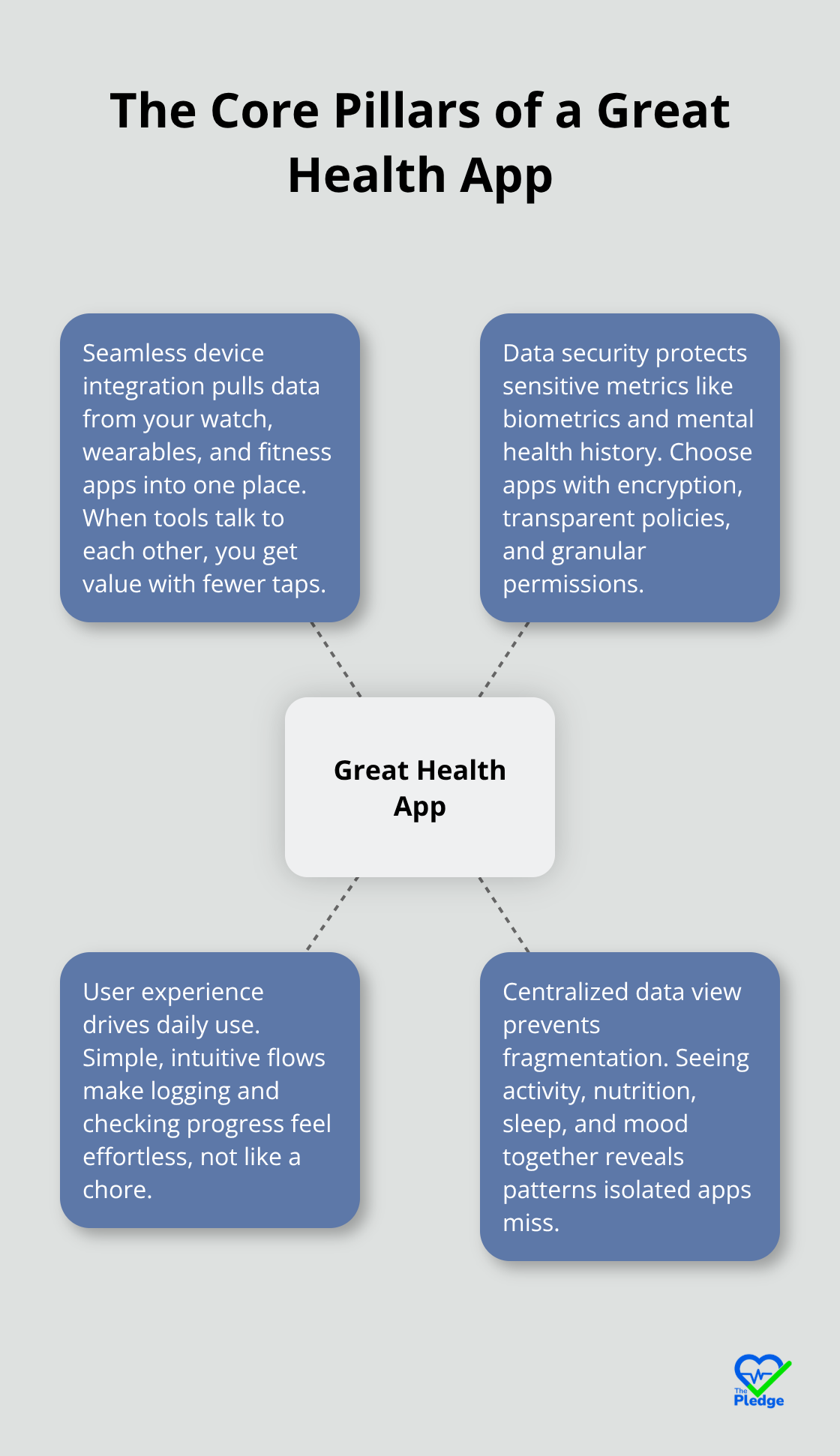
The right health monitoring app needs three non-negotiable qualities: it must work with your existing devices, protect your data like it’s sacred, and feel intuitive enough that you’ll actually use it daily. Too many people download an app, get frustrated by clunky navigation or privacy concerns, and abandon it within weeks. Health data lives scattered across multiple platforms-your smartwatch tracks steps and heart rate, your fitness app logs workouts, your wearable monitors sleep. A fragmented approach wastes your time and leaves critical health information isolated.
Seamless Device Integration Matters More Than You Think
Your health monitoring app must pull these data streams together rather than force you to manually log everything or check five different apps. Google Fit and Apple Health excel here because they act as central hubs, syncing with dozens of third-party apps and devices automatically. If you’re using a Garmin watch for running metrics or an Oura Ring for sleep data, the app needs native support for those devices. MyFitnessPal integrates with most wearables and syncs calorie data across platforms, which means your nutrition tracking automatically connects to your activity metrics. Health Connect, Google’s newer ecosystem, centralizes health and fitness data from multiple apps into one platform, reducing the friction of juggling several tools.
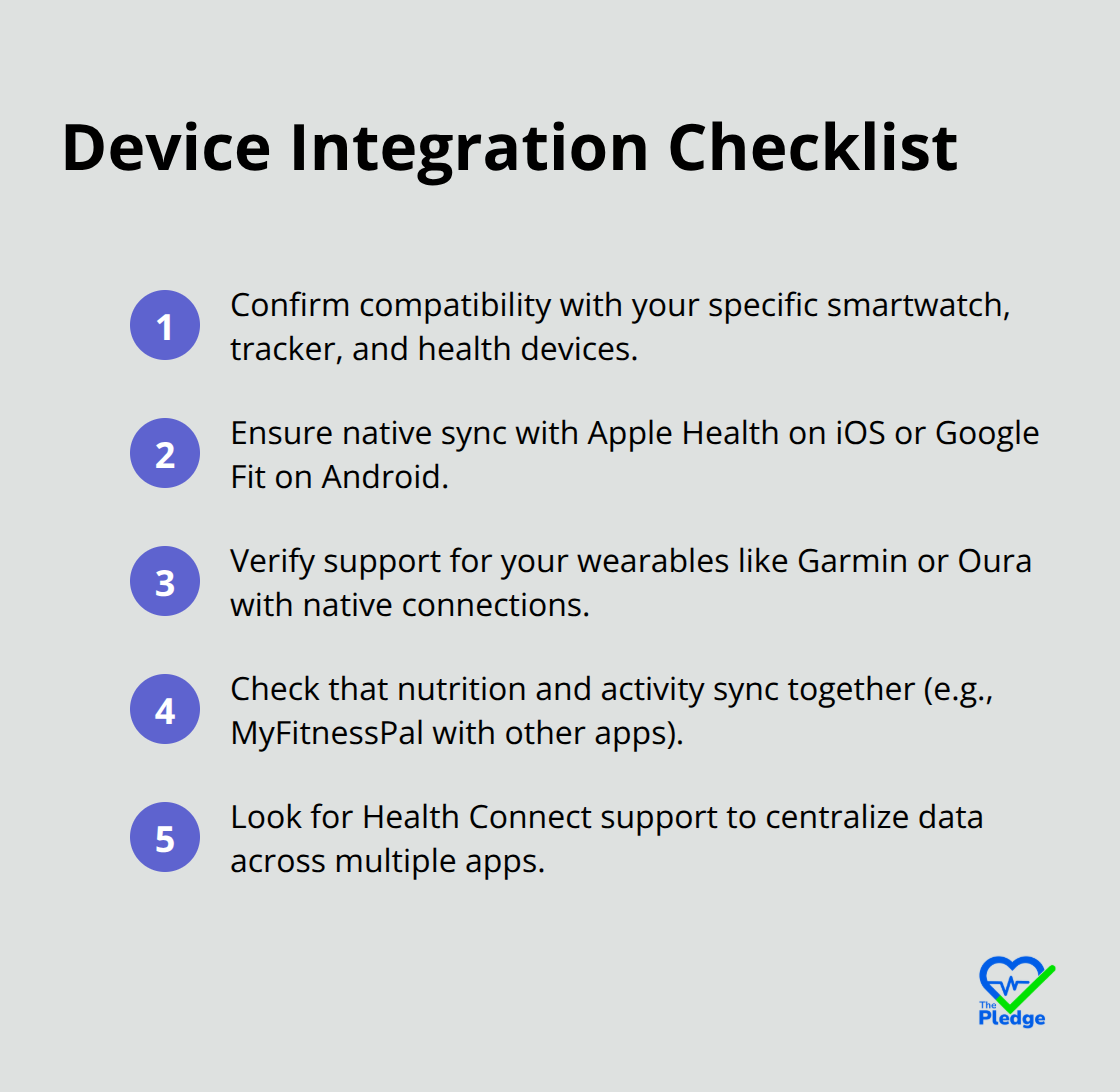
Before downloading anything, verify that the app supports your specific devices-check the compatibility list in the app store. Seamless device integration drives higher retention rates because users experience immediate value when their existing tools work together seamlessly.
Data Security Isn’t Optional, It’s Essential
Health apps handle sensitive information: your weight, medications, mental health history, and biometric data. Weak security means this information could leak to advertisers, insurers, or worse. Reputable apps like Talkspace and BetterHelp use encrypted messaging and comply with HIPAA standards, which means they meet federal requirements for protecting health information. Apple Health and Google Fit store data locally on your device or in encrypted cloud storage, giving you more control over who accesses what. Before installing any app, read the privacy policy-specifically, check whether the company sells your data to third parties. Many free apps monetize through data sales, which contradicts your wellness goals. Look for apps that offer transparent privacy controls, letting you decide what data syncs and where it goes. Some apps like Sleep Cycle allow you to adjust permissions granularly, choosing which metrics share with other apps and which stay private. If an app doesn’t clearly explain how it protects your information, that’s a red flag.
User Experience Determines Long-Term Success
An app with perfect features but terrible design will sit unused on your phone. The interface should feel natural-logging a meal, recording a workout, or checking your sleep data shouldn’t require three taps and a tutorial. Strava makes running and walking effortless by automatically tracking distance, pace, and elevation with minimal input. Conversely, apps with cluttered dashboards or confusing navigation see high abandonment rates. Test the free version of any app for at least three days before committing to a paid plan. Notice whether you actually open it voluntarily or if logging feels like a chore. The best app is the one you’ll use consistently, not the one with the most features gathering dust.
Finding Your Starting Point
Now that you understand what separates a mediocre app from an exceptional one, the next step involves matching these qualities against your personal health goals. Different apps excel in different areas-some prioritize fitness tracking, others focus on chronic disease management, and still others emphasize mental health support. The following section explores the top health monitoring apps available today and shows you exactly what each one does best.
Top Health Monitoring Apps That Actually Work
Activity Tracking Apps That Capture Your Movement
Strava dominates activity tracking for runners and cyclists, recording distance, pace, and elevation automatically while syncing with most fitness trackers. The free version captures your workouts, but the premium plan at $11.99 monthly adds periodized training plans, pace analysis, and race breakdowns that serious athletes need. MyFitnessPal takes the opposite approach, focusing obsessively on nutrition with a database of over 14 million food items and a barcode scanner that logs meals in seconds. A 15-study review in The American Journal of Preventive Medicine found that consistent food journaling produces greater weight loss across diverse groups, with individuals who track food daily losing twice as much weight as those who don’t track. This data matters because it shows the difference between downloading an app and actually using it-MyFitnessPal’s massive food database removes the friction that kills most nutrition tracking attempts.
Nutrition and Chronic Disease Management
For people managing chronic conditions like diabetes or hypertension, MyFitnessPal syncs with wearables to show how meals affect your glucose levels or blood pressure, turning abstract nutrition advice into concrete cause-and-effect relationships. Google Fit and Apple Health work differently by acting as central hubs that pull data from dozens of apps and devices, which means you don’t have to choose between Strava for running and MyFitnessPal for nutrition-both feed into one dashboard. This approach reduces cognitive load because you’re not mentally juggling five separate apps; instead, you see how your running volume, calorie intake, and sleep quality interact over time.
Mental Health and Sleep Support
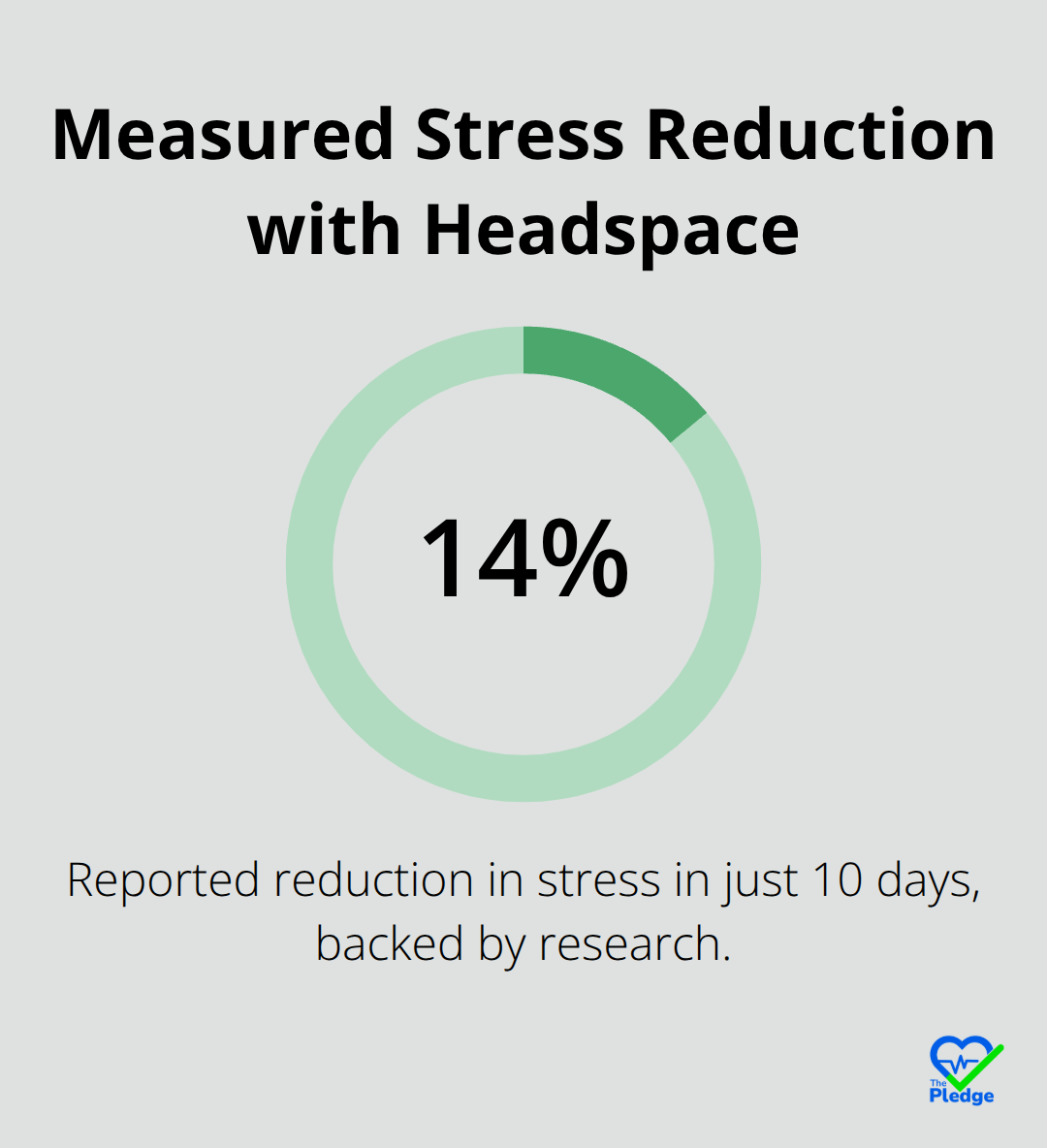
Headspace costs $12.99 monthly but claims a 14% stress reduction in just 10 days, backed by research rather than marketing hype. Talkspace connects you with licensed therapists at $69–$109 weekly and accepts most insurance plans across all 50 states, making professional therapy accessible without the month-long wait times typical of in-person practices. Woebot offers 24/7 access to AI-powered cognitive behavioral therapy for free, which means you can work through anxiety spirals at 2 a.m. without waiting for business hours.
For people reluctant to sit through meditation, Ten Percent Happier teaches practical mindfulness for skeptics, avoiding the spiritual language that turns off many users. Insight Timer provides thousands of free guided meditations from over 10,000 teachers, plus a customizable timer and community features that cost nothing.
The Sleep-Stress Connection
The mental health category matters because chronic stress impairs sleep quality and sabotages fitness goals-treating mental health isn’t separate from physical wellness, it’s foundational to it. Apps like Sleep Cycle track sleep duration and room sounds at $40 yearly, revealing whether your insomnia stems from stress, caffeine timing, or room temperature. Combining mental health support with sleep tracking shows patterns that isolated metrics miss-someone might discover that their evening meditation reduces nighttime heart rate variability, which Sleep Cycle measures.
Hydration and Holistic Wellness
Water Reminder handles the simple stuff that people overlook, using free base version with paid upgrades at $3.99 monthly or $35.99 yearly to set hydration targets based on weather and activity level. None of these apps work in isolation; the ones that drive real health change are the ones you actually use consistently, which means picking tools that fit your lifestyle rather than forcing yourself into someone else’s system. The next step involves assessing your personal health goals and matching them against what each app actually delivers.
Matching Your Goals to the Right App
Identify Your Primary Health Priority
Write down your single biggest health priority. Not your top three, not a vague aspiration to be healthier-your actual, specific problem that an app can solve. Are you trying to lose weight? Then nutrition tracking matters more than running metrics. Managing blood pressure? You need an app that syncs with blood pressure monitors and shows trends over time. Struggling with anxiety? Mental health support becomes non-negotiable. This clarity eliminates 80% of the decision-making noise because you stop comparing apps that solve different problems.
Someone training for a marathon should evaluate Strava differently than someone managing type 2 diabetes should evaluate MyFitnessPal. The apps themselves don’t change, but their value to you depends entirely on whether they address your actual needs. After identifying your primary goal, look at which apps we discussed actually deliver on that front. Strava excels at activity tracking but offers minimal nutrition features. MyFitnessPal dominates food logging but won’t coach you through a 5K training plan. Headspace targets stress reduction, not fitness. This matching process takes 15 minutes maximum if you stay focused on your one primary goal.
Verify Device Compatibility Before You Download
Check whether the app supports your smartwatch, fitness tracker, or health devices-compatibility lists live in the app store description. Apple Watch users should prioritize apps that integrate with Apple Health, while Android users need Google Fit compatibility. This matters because a feature-rich app that doesn’t sync with your existing devices creates extra manual work that kills long-term usage.
Test the free version for three to five days and notice whether you actually open it without reminders or whether logging feels forced. Apps like Insight Timer and Woebot offer genuinely free access with no time limits, so you can test them indefinitely before deciding. Paid apps like Headspace at $12.99 monthly or Talkspace at $69–$109 weekly should offer free trials covering at least a week so you experience the actual interface before committing money.
Calculate the Real Cost of Multiple Apps
Someone combining MyFitnessPal, Strava premium, and Headspace spends roughly $25–$30 monthly. That’s reasonable for serious wellness commitment, but many people overestimate what they’ll actually use. Start with one app that solves your primary goal, use it consistently for four weeks, then add a second tool only if you’re still actively using the first.
This sequential approach builds sustainable habits rather than overwhelming you with five apps you’ll abandon within a month. The apps that drive real health change are the ones you actually use consistently, which means picking tools that fit your lifestyle rather than forcing yourself into someone else’s system. Beyond physical health, remember that wellness extends to all areas of your life, including financial stability and workplace well-being.
Final Thoughts
The best health monitoring apps share three core qualities: they integrate seamlessly with your devices, protect your data with serious security measures, and feel intuitive enough that you’ll actually use them daily. Throughout this guide, we’ve shown you how apps like MyFitnessPal, Strava, and Headspace deliver real results when they match your specific health goals. Research proves that people who track consistently lose twice as much weight, stress reduction happens measurably within days, and sleep quality improves when you understand what affects it.
Your next step is straightforward: identify your single biggest health priority, pick one app that solves that problem, and commit to using it for four weeks. Once that habit sticks, add a second tool if it genuinely complements your first choice. Start with the free versions whenever possible-Insight Timer, Woebot, and Google Fit cost nothing and let you test whether an app fits your life before spending money.
Beyond individual apps, consider how your health data connects across platforms. Centralizing your information-your activity metrics, nutrition logs, sleep data, and mental health progress-reveals patterns that isolated apps miss. The Pledge helps you integrate your health information and sends personalized reminders that keep you accountable, so your wellness journey works best when your tools work together rather than forcing you to manually piece together fragmented data.


![Navigating Your Provider Network for Maximum Savings [Guide]](https://thepledge.app/wp-content/uploads/emplibot/Navigating-Your-Provider-Network-for-Maximum-Savings-_Guide__1781489382-300x168.jpeg)